A shared grocery list for two — instead of texting it back and forth
"We're out of milk" sent in a chat is gone by the time anyone is at the store. You scroll to find it, and sometimes you both buy it. One list shared by both phones removes the problem.
Why a chat thread isn't a grocery list
- Messages scroll away. If the next shop is ten days later, that line is long gone.
- Nothing separates bought from not bought. If one of you picks something up, the other doesn't know.
- Writing it down the moment something runs out is a chore, and at the store you can't remember.
With TwoDo
One of you creates the list and sends a 6-character code; the other types it in, and both phones see the same list. No account, no email. From then on:
- Add it the moment it runs out. The list sits on your home screen widget (or iPhone Lock Screen widget), so you don't go looking for an app. Standing at the fridge, type "milk" and you're done.
- Whoever gets to the store first sees the latest list. Anything your partner just added is already there — it syncs in real time, including between iPhone and Android.
- Tick it off as it goes in the basket. Tap the circle in the widget and it's done — and it disappears from your partner's widget too. No more "did you get the…?"
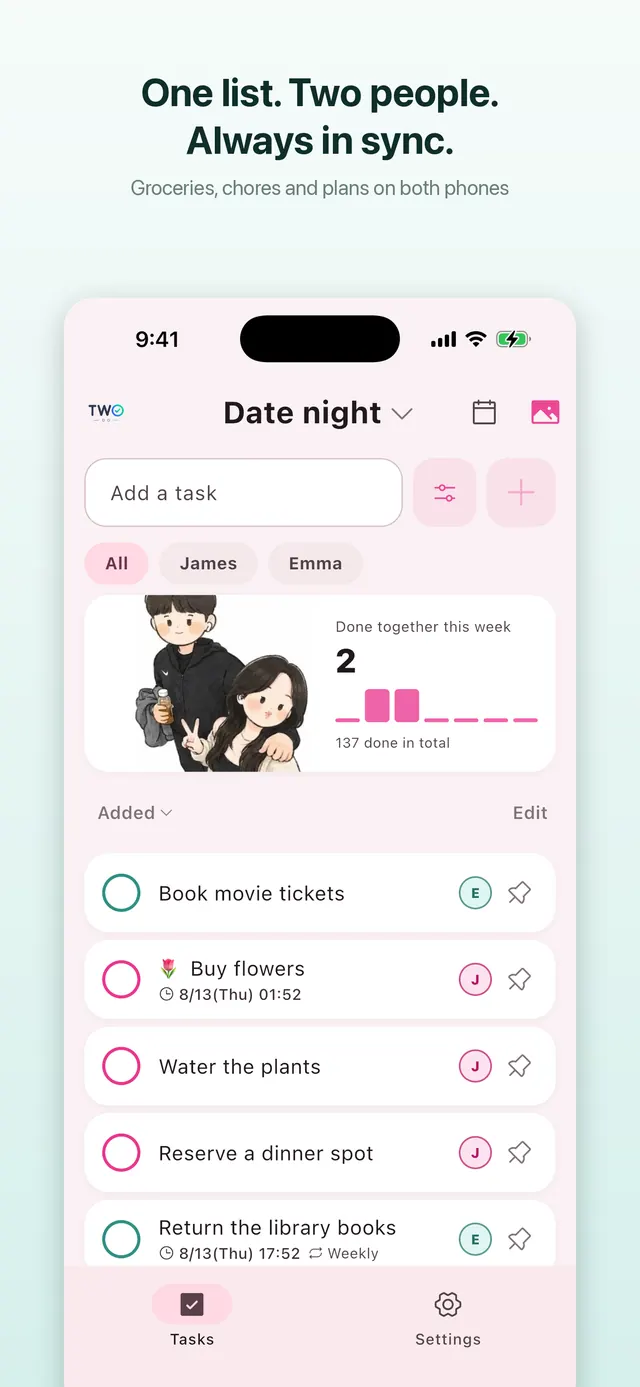
Features that help here
- Assignees. If one of you is doing the run, mark items as yours or theirs; undecided ones stay "both". The badge says who has it, so nobody asks out loud.
- Due times and reminders. Set "by Saturday morning" and you both get a reminder — on time, or 10, 30 or 60 minutes early.
- Separate lists (Pro). If you'd rather keep groceries and chores apart, create separate lists (up to 6) with a widget for each. The free app has one list, and one list is plenty for most couples.
- Private items. A birthday present for your partner can be marked private — it stays on the shared list but only you can see it.
How to start
Put in the three things you're out of right now, add the widget to your home screen (or the iPhone Lock Screen), and do one shop. After that it runs itself. The widget steps are in the widget guide.