Two people. One list.
One list for two,
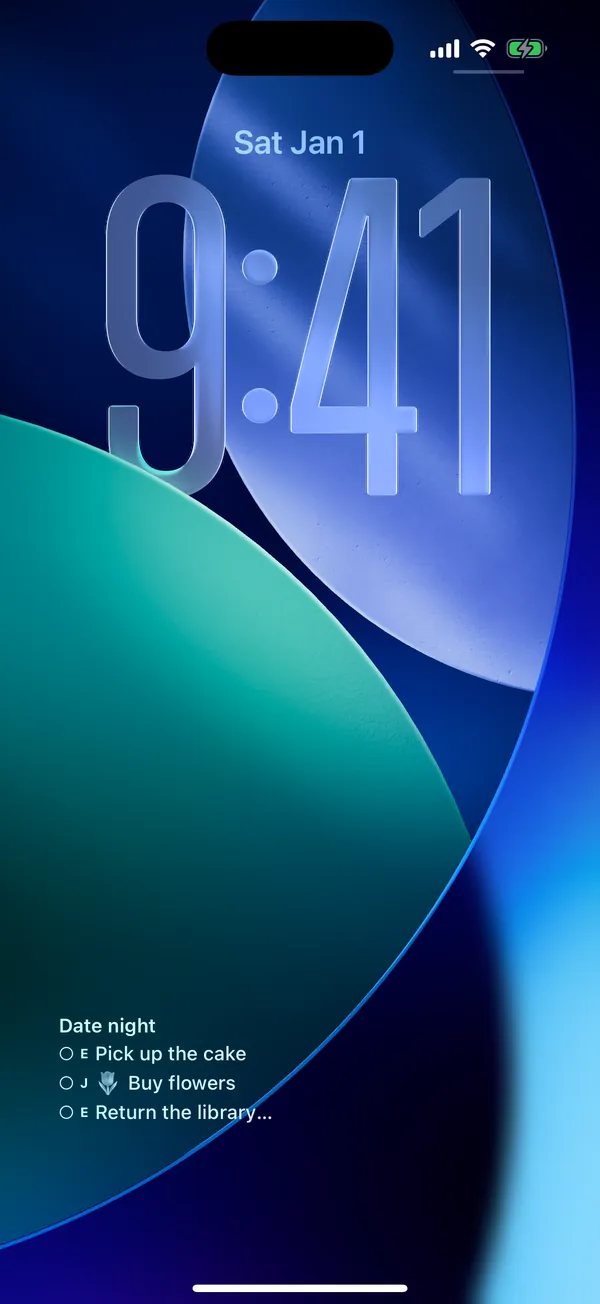
ticked off from the lock screen
A shared to-do list for couples, partners and roommates. Groceries, chores and errands in one place — the moment one of you adds or finishes something, it shows up on the other's widget. No account, just a 6-character code.
Core features free · no account · syncs between iPhone and Android
Our groceries
- Take the recycling out8/21(Fri) 7:00 PM M
- Buy laundry detergent P
- Split the electricity bill
- Milk, two M
Their phone
Friday, August 21
8:42
Our groceries
Tap a circle.
Their phone changes too.
What it does
What a shared list for two should be
There are plenty of to-do apps. Few of them keep two people in sync without anyone having to ask.
Tick it off without opening the app
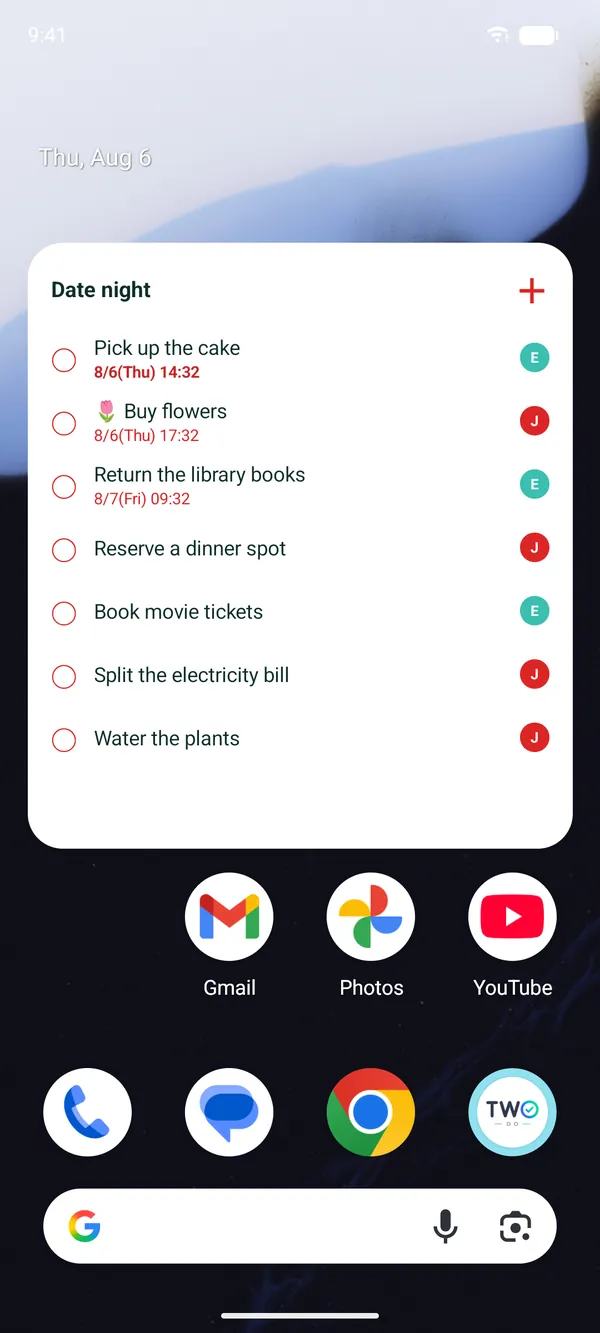
Lock Screen widget and Live Activity on iPhone, home screen widget on Android. What's left is there the moment you pick up your phone, and one tap completes it. The widget only ever lists what is still open.
One 6-character code and you're connected
One of you creates the list and gets a code. The other types it in. That's the whole setup — no email, no password.
Two phones, always the same
When your partner adds the milk or ticks off a chore, your widget updates right away. Works between iPhone and Android.
Who has it
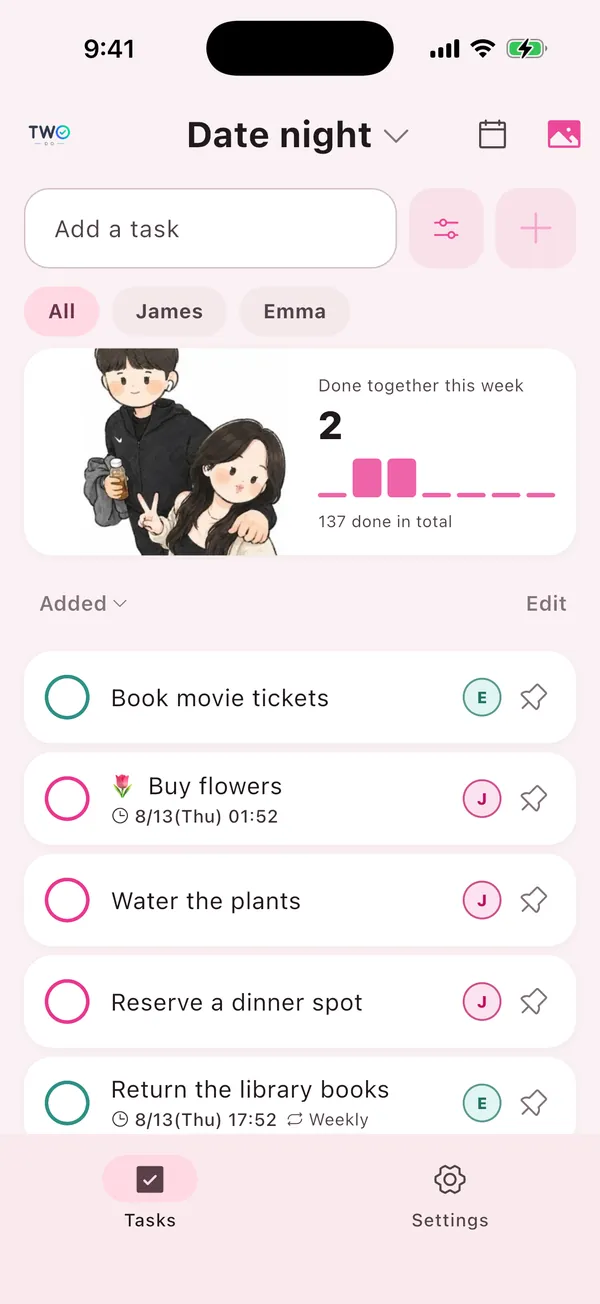
Mark each task as both of you, you, or them. A glance at the badge tells you who took what, so you stop asking out loud.
Due dates and reminders
Give a task a time and both of you get a reminder. Bills, appointments and the trash going out stop falling through.
Built for exactly two
Not a team planner. No boards, no projects, no workspaces. A household to-do list for two people, and that is all it tries to be.
On your screen
What it actually looks like
With the app open, and with the app closed.
How it works
Connected in a minute
-
01
Create a list
Open the app and create a list. There is no sign-up screen.
-
02
Send the code
Paste the 6-character code into any chat and send it to your partner.
-
03
Add the widget
They type it in and you're connected. Put the widget on your lock or home screen and you're done.
Who uses it
Who ends up using it
- CouplesSharing a home, splitting groceries, chores and bills
- RoommatesSettling rent, cleaning and bin duty in a list instead of a chat
- ParentsCoordinating school runs, kit and errands without checking in
- Long distanceKeeping one checklist while living apart
- Planning togetherA wedding or a move, when the list suddenly doubles
Guides
Set it up, then split the work
Four guides — including when TwoDo is the wrong pick.
FAQ
Frequently asked questions
Do I need an account?
No. One of you creates a list and gets a 6-character code; the other types it in. No email, no password.
Does it work between iPhone and Android?
Yes. One of you can be on iPhone and the other on Android — it is the same list, synced in real time.
Where does the lock screen widget work?
On iPhone you get a Lock Screen widget and a Live Activity. On Android the home screen widget is the default; on Samsung One UI you can also place it on the lock screen.
Is it free?
The shared list, the widget, real-time sync, assignees and due reminders are free. Extras such as nudge, multiple lists and calendar view are a one-time Pro purchase. "Our Album", which keeps a photo of each finished to-do, is an optional subscription.
Can more than two people use it?
No. TwoDo is built for exactly two people. It is not a team or whole-family planner.
Get TwoDo
Start with tonight's
grocery run
Create a list, send six characters, and you're both looking at the same thing. Core features are free.
iPhone · Android · no account